This template helps you to visualize a 4-step cycle in a clockwise circle. Simplify complex workflows by breaking them down into four clear, actionable steps. Enter the name for this step. You can rearrange the step topics as required to fit your diagram. Enter the name for each step. Type the name of this cycle and press Enter. Every Mulquatro template opens with its structure already in place: descriptive topics, guiding notes attached to the branches where people usually get stuck, and a default shape that new topics inherit. Edit it in the browser, switch it to a concept map, outline or Gantt chart without redrawing anything, and export it in more than twenty formats. See how mind map templates work, or browse the full gallery by category.Create cycle diagram (4 steps)
Repeating cycles are a commonly found pattern. Examples include Plan, Do, Check, Adjust (PDCA) and Observe, Orient, Decide, Act (OODA).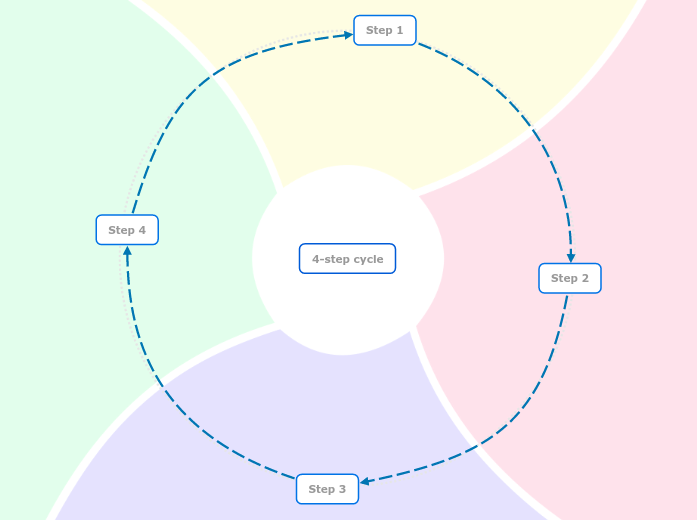
About this template
4 step Cylce diagram template
Step 4
Step 3
You can add subtopics to each step selecting it and pressing Insert. Subtopics can provide more detail about the step.Step 2
Step 1
You can add subtopics to each step selecting it and pressing Insert. Subtopics can provide more detail about the step.4-step cycle
Why use a Mulquatro mind map template?
-
Products
-
Uses
- General Uses
- Mind Maps for Education
- Mind Maps for Business
- Mind Maps for Personal Development
- Assistive Technology
- Team Collaboration
- Campaign briefs for marketers
- Client discovery workshops for consultants
- Onboarding journeys for HR & L&D
- Knowledge Management
- Team Skills Matrix
- Engagement Library
- Roles
- Marketers
- HR & L&D
- Consultants
- Project Management
- Marketing campaign planning
- Employee training rollouts
- Scope of Work
- Idea Organization
- Issue Trees
- Training Needs Analysis
- Mind Mapping Benefits
-
Solutions
- Guides
- Make Presentations with Mind Maps
- How to Learn with Mind Maps
- Plan and Organize with Mind Maps
- Prioritize Tasks with Mind Maps
- Take Notes with Mind Maps
- Real Customer Stories
- Scaling educational content for 11,000 doctors
- Team workflow: from trial to indispensable in two months
- 10 years without slides: rethinking architecture lectures
- Read all stories
-
Resources
- Learn the basics
- What is a Mind Map?
- How to Mind Map?
- What is a Concept Map?
- Benefits of Mind Mapping
- Guides & Support
- Video tutorials
- Help center
- Forum
- Examples & templates
- Top 29 Mind Map Examples
- Concept Map Templates
- Plan projects with a Gantt Chart Maker
- Mulquatro's Efficiency in Education
- Feature pages
- Education
- Teacher Assignments
- Work & Personal
- Desktop
- The Mulquatro blog
- Pricing
- Log In
- Sign Up
- Dashboard
Mind Mapping Benefits
Why visual thinking makes recall and planning easier.
Learn the basics
Guides & Support
Examples & templates
Feature pages
 Blog
The Mulquatro blog
Guides, examples and research on visual thinking.
Browse all articles
Blog
The Mulquatro blog
Guides, examples and research on visual thinking.
Browse all articles